AC Fan Not Spinning & Making Loud Noise? What to Do
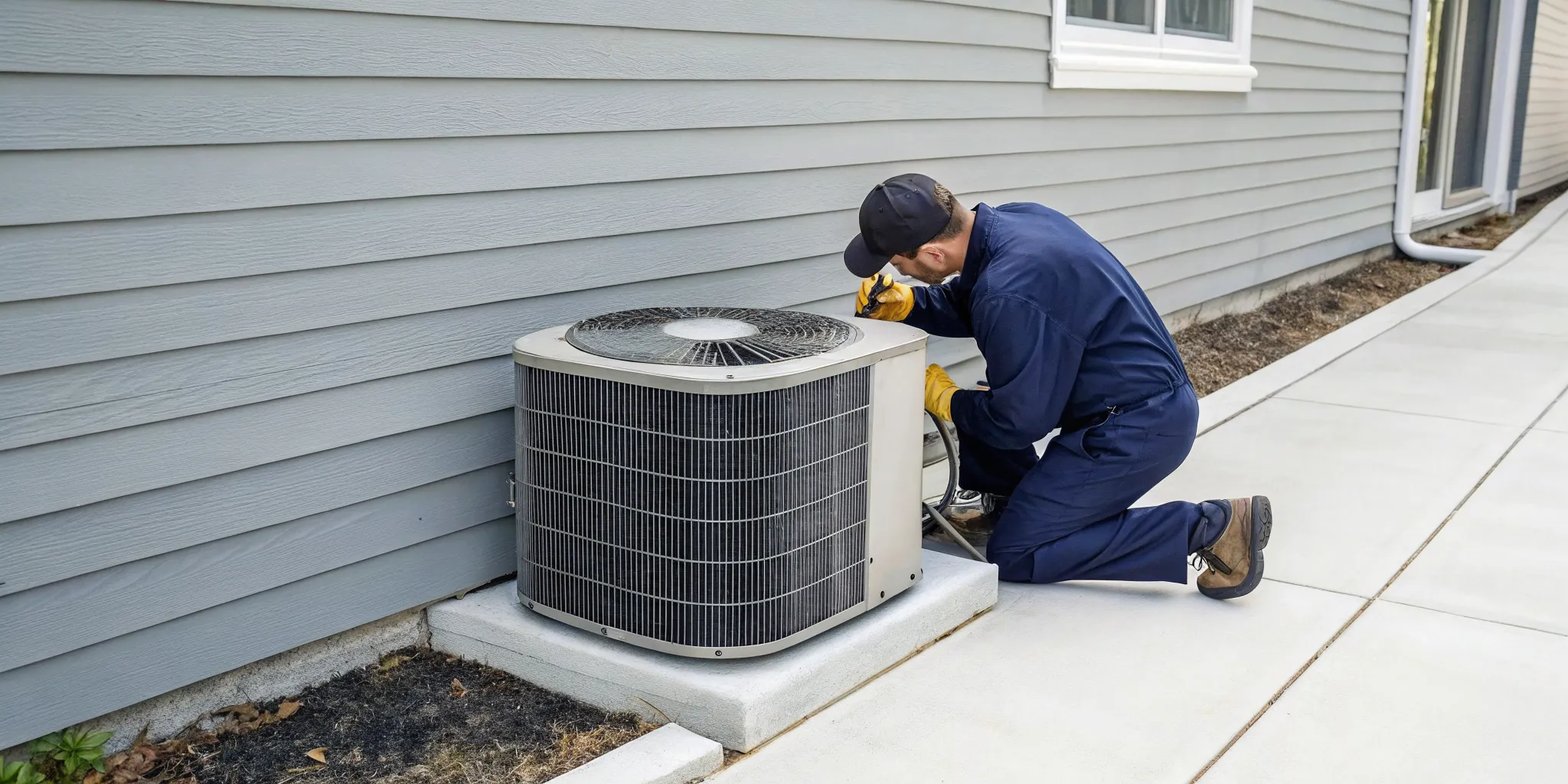
That strange sound coming from your outdoor unit is more than just an annoyance; it’s a clue. When your ac unit fan not spinning and making loud noise, it’s sending a clear distress signal. In the middle of a Florida summer, this isn't a problem you can ignore. Those hums, buzzes, or grinding sounds are your system’s way of telling you exactly what’s wrong. By learning to interpret them, you can get a better idea of the issue, understand the urgency, and know whether you’re facing a simple fix or a job that requires a professional’s touch.
Key Takeaways
- Decode the Sounds and Prioritize Safety: Different noises point to different problems; a hum often means a bad capacitor, while grinding suggests a failing motor. No matter the sound, your first step is always to turn off the power at the circuit breaker before you do any inspection.
- Check for Simple Fixes Before Panicking: You can often solve the problem yourself by checking a few key areas. Make sure your thermostat is set correctly, reset the tripped breaker, and clear any leaves or debris that might be blocking the fan blades from spinning.
- Recognize When to Call an Expert: If the simple fixes don't work or you suspect an electrical issue like a bad capacitor, it's time to call a professional. Handling electrical components is dangerous, and calling for help prevents personal injury and protects your AC from more expensive damage.
AC Fan Not Spinning? Here’s What Those Noises Mean
When your air conditioner stops working, it rarely does so quietly. Those strange sounds coming from your outdoor unit are more than just an annoyance; they’re clues that can help you figure out what’s wrong. In the middle of a Florida summer, a silent AC is a problem, but a noisy one that isn’t cooling is a clear signal that something needs immediate attention. By learning to interpret these sounds, you can get a better idea of the issue before you even call a technician.
The Humming or Buzzing Sound
If your outdoor unit is humming or buzzing but the fan blades aren't moving, you're likely dealing with an electrical issue. The most common culprit is a failed capacitor. Think of the capacitor as a small battery that gives the fan motor the initial jolt of energy it needs to start spinning. When it fails, the motor has the power to hum but lacks the "kick-start" to get going. In some cases, an obstruction could be physically blocking the blades, but a loud, persistent hum usually points directly to a bad capacitor that needs a professional air conditioning repair.
The Grinding, Rattling, or Clicking Noise
Grinding, rattling, or clanking sounds are much more aggressive and often signal a serious mechanical problem. These noises can happen if a fan blade is loose or broken and hitting other parts of the unit. It could also mean the motor's internal bearings are worn out, causing the motor to seize up. If you hear this, turn off your AC immediately to prevent a chain reaction of damage. A failing motor can quickly destroy other expensive components, so this isn't a sound to ignore. This kind of issue often requires emergency air conditioning services to avoid catastrophic failure.
What Your AC Is Trying to Tell You
Ultimately, your AC is trying to tell you it’s in distress. Ignoring a struggling fan motor can have expensive consequences. For example, it can cause your compressor to overheat and burn out, which is one of the most costly parts to replace. In some cases, a burned-out compressor can even mean you need a whole new outdoor unit. While it can be tempting to try a quick fix yourself, problems involving fan motors and electrical components are best left to a licensed and insured technician. A professional can safely diagnose the issue and perform the correct air conditioning maintenance or repair, ensuring your system runs safely and efficiently.
5 Common Reasons Your AC Fan Won't Spin
A stationary fan can be alarming, but the cause is often one of a few common issues. Before you panic, let's walk through the most likely culprits, from simple fixes you can check yourself to problems that need a professional touch. Understanding what's happening can help you know what to do next.
A Bad Capacitor
If your outdoor unit is making a humming or buzzing noise but the fan blades aren't moving, a bad capacitor is the most likely suspect. Think of the capacitor as a small battery that gives the fan motor the jolt it needs to get started. When it fails, the motor has no power to kick on, even though it's trying. You might also notice the fan starting very slowly before picking up speed. While this is a frequent problem, especially in the Florida heat, replacing a capacitor involves handling high-voltage electrical components. For your safety, this is a job best left to a licensed technician.
Debris Blocking the Fan
Sometimes the simplest explanation is the right one. Before assuming a major mechanical failure, take a look at the fan itself. Twigs, leaves, palm fronds, and other yard debris can easily get lodged in the outdoor unit, physically preventing the blades from spinning. It’s a common mistake to let plants and bushes grow too close to the AC unit, which can obstruct airflow and lead to this exact problem. After you shut off the power to the unit, you can perform a quick visual check. Clearing away this debris might be all it takes to get your fan moving again and improve your system's overall efficiency.
A Burnt-Out Fan Motor
If the capacitor seems fine and there's no debris in the way, the fan motor itself may have failed. A burnt-out motor is a significant mechanical issue. You might notice that the fan blades don't spin at all, or they turn very slowly and erratically, even if you give them a gentle push (with the power off, of course). This isn't a DIY fix. Continuing to run your AC with a faulty motor can cause further damage to the system. A professional technician will need to diagnose the problem and perform an air conditioning repair by replacing the motor to get your system running safely again.
Power Supply Problems
Your air conditioner is a powerful appliance, and it's connected to a dedicated circuit in your home's electrical panel. A power surge or an overload can cause the circuit breaker to trip, cutting off electricity to the unit as a safety measure. Your first step should be to check your breaker box and see if the switch for your AC has been tripped. If resetting it solves the problem, great. However, if the breaker trips again immediately or repeatedly, you have a more serious electrical issue. This indicates a problem like a short circuit that requires professional attention to prevent a fire hazard.
Simple Fixes: Thermostat and Air Filter
Before you head outside, let's check two things indoors that can stop your AC fan. First, look at your thermostat. Make sure it’s set to "Cool" and the target temperature is set lower than the current temperature in your home. It sounds basic, but it’s a common oversight. Second, check your air filter. A severely clogged filter can restrict airflow so much that your system’s coils freeze over, causing it to shut down to prevent damage. Regular air conditioning maintenance, including changing your filter every 1-3 months, is the best way to prevent this and keep your system running smoothly.
Your 8-Step Guide to Safely Troubleshooting Your AC
Hearing a loud noise while your AC fan stays still can be alarming, but don't jump to the worst-case scenario just yet. There are several troubleshooting steps you can safely perform yourself to diagnose the issue. Following this guide can help you identify simple fixes or gather important details for a professional. Let's walk through the process together, step by step, to figure out what's going on with your system.
Safety First: Read This Before You Begin
Before you touch any part of your air conditioner, your absolute first priority is safety. AC units are powerful electrical appliances, and working on them without taking precautions is dangerous. Always shut off the power to your unit at two locations: the thermostat inside your home and the main circuit breaker that controls the outdoor unit. This ensures there is no risk of electrical shock or the unit accidentally turning on while you are inspecting it. Your safety is more important than any repair, so please don't skip this crucial first step.
Step 1: Turn Off the Power
Now that you know the safety rule, let's make it official. Go to your home's main electrical panel and find the breaker labeled for your air conditioner. Flip it to the "Off" position. For good measure, you should also turn off the power at the exterior shut-off box, which is usually a metal box located on the wall near your outdoor condenser unit. Turning off the power immediately prevents a minor issue from escalating into a major, more expensive failure. It’s the essential first step before any hands-on air conditioning repair.
Step 2: Check Your Thermostat
Sometimes the simplest solution is the right one. Before you start inspecting wires and parts, take a quick look at your thermostat. Make sure it is set to "Cool" and that the set temperature is at least a few degrees lower than the current room temperature. If the setting is on "Fan Only" or "Heat," or if the temperature is set too high, the condenser unit won't kick on. It’s a simple check, but it’s a common oversight that can save you a lot of unnecessary stress and troubleshooting.
Step 3: Reset the Breaker
While you're at the electrical panel, check to see if the AC breaker has tripped. A tripped breaker will be in the middle position, not fully on or off. This can happen during a power surge or if the system is overworked. To reset it, push the switch firmly to the "Off" position, and then flip it back to "On." If the breaker trips again immediately or soon after, it’s a sign of a deeper electrical problem. Don't keep resetting it; this indicates it's time to call for professional help.
Step 4: Clear Away Debris
Head outside to your condenser unit and take a look around. In Florida, it’s common for palm fronds, leaves, dirt, and other yard debris to get pulled into the unit, physically blocking the fan blades. Carefully inspect the area around the fan and inside the vents. If you see any obstructions, you can clear them away (remember, the power should be off!). A clear path is essential for the fan to spin freely and for your system to have proper airflow. This simple cleanup can sometimes solve the entire problem.
Step 5: Gently Test the Fan Blades
With the power completely off, find a stick or a long screwdriver to gently push one of the fan blades. Be careful not to bend the blades. If the fan spins freely for a while, the motor itself is likely okay, and the problem might be a bad capacitor. However, if the fan is stiff, hard to move, or makes a grinding noise when you push it, the fan motor has likely seized or burned out. This test gives you a huge clue about the root cause of the problem.
Step 6: Inspect the Air Filter
A severely clogged air filter can cause a whole host of AC problems. It restricts airflow, forcing your system to work much harder to cool your home. This strain can cause components, including the fan motor, to overheat and shut down. Check the air filter located in your indoor air handler. If it’s covered in a thick layer of dust and grime, replace it with a new one. Regular filter changes are a key part of routine air conditioning maintenance and can prevent many common issues from ever starting.
Step 7: Look for Ice Buildup
Ice on your air conditioner is never a good sign. Check the copper lines and the evaporator coil (located in the indoor unit) for any frost or ice. Ice buildup is often caused by restricted airflow from a dirty filter or a more serious issue like a refrigerant leak. If you see ice, turn the system off completely and switch the thermostat to "Fan Only" to help it thaw. An iced-over system is a definite sign that you need an expert to diagnose the underlying cause, as it points to a problem beyond a simple fix.
Step 8: Inspect the Capacitor
If you were able to spin the fan blades easily by hand, the problem is very likely a bad start capacitor. The capacitor is a small, cylinder-shaped part that gives the fan motor the jolt of energy it needs to start and run. With the power off, you can visually inspect it. Look for signs of failure like a bulging or domed top, or any fluid leaking from it. If you see any of these signs, you’ve probably found your culprit. However, you should never attempt to handle or replace a capacitor yourself, as it can hold a dangerous electrical charge.
How to Tell if You Have a Bad Capacitor
If your troubleshooting points to the capacitor, it’s helpful to know exactly what you’re looking for. A bad capacitor is one of the most frequent causes of a non-spinning AC fan, and spotting the signs can help you understand the problem before you call for help. While you should never try to handle or replace this part yourself, identifying it as the likely culprit can save time and give you peace of mind. Here’s how to figure out if your capacitor has failed.
What Does a Capacitor Do?
Think of a capacitor as a tiny, powerful battery for your AC's motors. Its job is to store up electricity and deliver a strong jolt of power to get the fan motor and compressor started. After that initial push, it continues to provide a steady supply of energy to keep them running smoothly. When the capacitor fails, the motor doesn't get that crucial kickstart. This is why you might hear a humming sound; the motor is trying to start but doesn't have the energy to turn the blades.
Signs of a Failing Capacitor
A visual inspection can often reveal a bad capacitor. After you’ve turned off all power to your AC unit, you can look for a few telltale signs. A failing capacitor might look swollen or puffy on top, almost like the top of a mushroom. You might also notice fluid leaking from the casing or see rust and corrosion on the bottom. Any of these physical defects are a clear indication that the capacitor has gone bad and needs to be replaced by a professional.
Other Telltale Symptoms
Besides the physical signs, the most common symptom of a bad capacitor is a humming or buzzing sound coming from your outdoor unit while the fan blades remain still. Your AC might also struggle to turn on, or it could start up and then shut off after a short time. If you’ve gently spun the fan blades and they move freely, and the capacitor shows no visible signs of damage, the issue might be the fan motor itself. However, the combination of a humming motor and a stationary fan almost always points to a faulty capacitor.
Why You Should Never Replace a Capacitor Yourself
I can't stress this enough: please do not try to replace a capacitor on your own. These components store a high-voltage electrical charge that can be lethal, even when the power to the unit is completely off. Handling them without the proper training and tools is incredibly dangerous. For your safety, this is a job that should always be left to a professional. Our licensed and insured technicians are equipped to safely handle these components and get your AC running again without any risk to you or your home.
Know When to Call a Professional
While it feels great to solve a problem yourself, it’s just as important to know your limits, especially when dealing with complex and high-voltage appliances like your AC unit. After you’ve gone through the basic troubleshooting steps, if your fan still isn’t spinning, it’s time to put the tools down and pick up the phone. Continuing to poke around can not only be dangerous but could also turn a simple fix into a costly catastrophe. A buzzing sound paired with a motionless fan often points to an electrical issue that requires a trained eye and specialized equipment to diagnose and fix safely.
Think of it this way: you’ve done the essential groundwork. By checking the thermostat, breaker, and clearing debris, you’ve ruled out the simple culprits. Now, you can hand off the problem to a professional with a clear picture of what’s going on. This is where we come in. Calling for an expert air conditioning repair doesn’t mean you’ve failed; it means you’re making a smart, safe decision to protect your home and your investment. Let’s walk through the clear signs that you need an expert, what to do while you wait for help, and why acting quickly is so important here in Florida.
Red Flags That Mean You Need an Expert
If you’ve given the fan blades a gentle push and they spin freely, but the motor won’t start on its own, you’re likely dealing with a bad capacitor or a burnt-out fan motor. Both of these issues involve high-voltage electrical components that are dangerous to handle without proper training and tools. Another major red flag is any burning smell coming from the unit. This indicates an electrical problem that needs immediate professional attention. If you’ve tried all the safe troubleshooting steps and the fan is still stubbornly refusing to spin, that’s your cue. It’s always better to trust a licensed technician than to risk personal injury or further damage to your AC system.
What to Do (and Not Do) Before Your Technician Arrives
Once you’ve made the call for help, there’s one critical step to take: turn your AC system off at the thermostat and then shut off the power at the circuit breaker. This prevents the unit from trying to run, which could cause the compressor to overheat and fail. A fan motor is a manageable repair, but a dead compressor often means replacing the entire outdoor unit. So, please, don't try to keep it running. Just let it be until a professional can take a look. This simple action protects your system from more extensive damage and ensures the technician can work safely when they arrive. If your AC gives out at an inconvenient time, remember that emergency services are available.
Don't Wait: Why Quick Repairs Matter in Florida
Putting off an AC repair in Florida is a gamble you don’t want to take. Our heat and humidity put air conditioners under constant stress, and a small problem can quickly spiral. Running your AC with a broken fan forces the compressor to work harder, generating intense heat and pressure that it can’t release. This can cause the compressor to burn out, which is the death sentence for most AC units. What could have been a straightforward fan repair can become a full system replacement. Acting fast not only saves you from sweating it out in the heat but also prevents a minor issue from turning into a major expense. Regular air conditioning maintenance can also help catch these problems before they leave you stranded.
Related Articles
- 5 Signs Your AC Needs Repair
- AC Repair Services
- Duct Replacement Services
- AC Services Overview
- HVAC Tips & Insights Blog - Expert Advice from 5 Star Air
Frequently Asked Questions
My outdoor unit is humming but the fan isn't moving. What's the most likely cause? A persistent humming sound almost always points to a bad capacitor. The capacitor's job is to give the fan motor a powerful jolt of energy to get it started. When it fails, the motor receives power and tries to run (which creates the hum), but it doesn't have that initial kick to actually start spinning the blades.
I followed the guide and gently pushed the fan blades, and they spun freely. What does this tell me? This is a great diagnostic step that usually points to good news. If the blades spin easily, it means your fan motor itself probably hasn't seized or burned out. The problem is more likely electrical, with a failed capacitor being the top suspect. The motor is mechanically fine, it just isn't getting the electrical kickstart it needs to run on its own.
Is it really that bad to leave my AC on while I wait for a technician? Yes, you should absolutely turn your system off at the thermostat and the breaker. Leaving it on forces the compressor to run without the fan to cool it down. This can cause the compressor to overheat and fail, which is one of the most expensive parts to replace. Turning the system off protects it from further damage and turns a manageable repair into a potential catastrophe.
Why can't I just replace the capacitor myself if I know that's the problem? I strongly advise against this because it is extremely dangerous. Capacitors store a high-voltage electrical charge, and they can still cause a severe or even fatal shock long after the power has been shut off. This is a repair that should only be handled by a licensed and trained professional who has the proper tools and safety knowledge to discharge the capacitor safely.
What can I do to prevent my AC fan from failing in the future? The best prevention is consistent, professional maintenance. During a tune-up, a technician can test components like the capacitor and fan motor, spotting signs of weakness before they fail and leave you without air conditioning. You can also help by keeping the area around your outdoor unit clear of leaves, branches, and other debris to ensure proper airflow.