Thermostat Blank? 7 Simple Steps to Fix It Fast
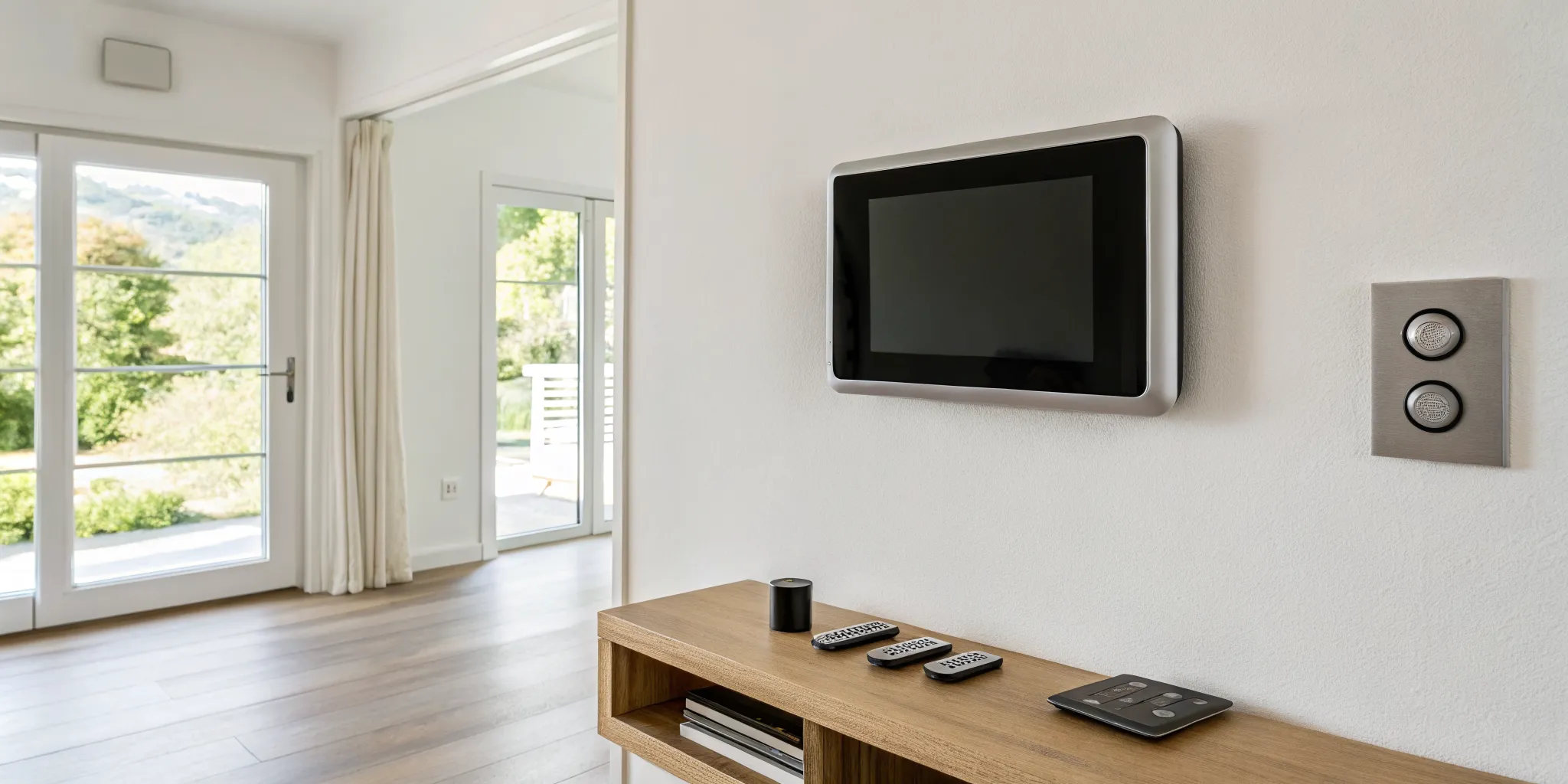
Your thermostat is the brain of your HVAC system, but it’s important to remember that it’s just one part of a larger network. When you find your thermostat blank, it’s often not a problem with the thermostat itself, but rather a symptom of an issue elsewhere. For instance, your main air conditioning unit has built-in safety features that will cut power to the entire system, including the thermostat, to prevent damage. A clogged filter or a backed-up drain line can trigger these shutdowns. Understanding that the blank screen is a signal from your AC unit is the first step to finding the real problem and getting your home comfortable again.
Key Takeaways
- Check for Simple Power Issues First: A blank screen doesn't always mean a major failure. Before calling for help, try replacing the batteries, resetting the circuit breaker, and making sure the HVAC unit's access door is securely closed.
- Look Beyond the Thermostat: The blank screen is often a symptom, not the cause. It signals a power loss that could originate from a safety feature, like a float switch shutting down the system because of a clogged AC drain line to prevent water damage.
- Prioritize Preventative Maintenance: You can avoid most unexpected shutdowns with a few key habits. Schedule annual professional tune-ups, change your air filter regularly, and replace thermostat batteries once a year to keep your system reliable.
What Does a Blank Thermostat Screen Mean?
Walking into a room and seeing a blank thermostat screen is an instant cause for concern, especially here in Florida where a working AC is non-negotiable. Your first thought might be that your entire system is dead, leading to visions of expensive repairs and sweltering days. But before you panic, take a deep breath. A blank screen is a common issue, and it doesn't always signal a catastrophe. More often than not, it's a simple fix you can handle yourself in just a few minutes.
A blank thermostat screen simply means it isn't receiving power. The real question is why. The cause could be as straightforward as dead batteries or a tripped circuit breaker that just needs to be flipped back on. In other cases, a safety feature within your HVAC system might have cut the power because of a separate issue, like a clogged drain line that’s trying to prevent water damage to your home. Understanding the potential reasons is the first step to getting your cool air back on. We'll walk through what that blank screen could be telling you, from simple power interruptions to signs that your AC unit needs a little attention from a trusted professional.
Power Loss or a Bigger Problem?
When your thermostat screen goes dark, it’s usually a power issue. Think of it like your TV remote; when the screen is off, you check the batteries first. For a thermostat, a power interruption can happen for a few reasons. A sudden power surge could have tripped a circuit breaker or blown a fuse, cutting off electricity to your thermostat and HVAC system. This is a protective measure to prevent damage to the equipment. While it might seem like a big deal, checking your breaker box is a simple first step. Most of the time, a blank screen points to a minor interruption, not a major system failure requiring emergency AC services.
Is Your AC Actually Broken?
If you've ruled out simple power issues like batteries or a tripped breaker, the problem might not be with the thermostat at all. Instead, the blank screen could be a symptom of an issue with your air conditioner or furnace. One of the most common culprits is a clogged AC drain line. When the line that removes condensation gets backed up, a safety switch is triggered, shutting down your entire system to prevent water damage. This shutdown cuts power to the thermostat, causing the screen to go blank. So, while the thermostat is your first clue, the root cause may require a closer look at your main HVAC unit and might be a sign you need professional air conditioning repair.
Wired vs. Battery-Powered: Does the Fix Change?
How you troubleshoot a blank screen can depend on your thermostat model. Many digital thermostats run on batteries, especially older models or those installed without a dedicated power line (often called a "c-wire"). If you have one of these, the fix is usually as simple as swapping in a fresh set of batteries. Other thermostats are hardwired directly into your home's electrical system for a constant power supply. Even some hardwired models have backup batteries, so it's always worth checking. Understanding which type you have helps you know where to start. If you find yourself frequently dealing with thermostat issues, it might be time to consider an air conditioning installation and replacement that includes a modern, more reliable thermostat.
Why Did My Thermostat Screen Go Blank?
Walking into a warm house and seeing a blank thermostat screen is an instant cause for concern, especially here in Florida. Your first thought might be that your entire AC system is broken, but that’s not always the case. More often than not, a blank screen simply means the thermostat has lost power. The real question is why it lost power. The cause can be as simple as dead batteries or as complex as an internal system failure.
Before you panic, it’s helpful to understand the common reasons this happens. Think of it as a diagnostic checklist. By working through the most likely culprits, you can often identify and even fix the problem yourself. From a tripped breaker to a safety switch triggered by a clogged drain line, several issues can cut power to your thermostat. We’ll walk through each possibility so you can figure out what’s going on with your system. If the fix isn't simple, our team is always ready to provide expert air conditioning repair.
Dead Batteries
Let's start with the easiest and most common fix: dead batteries. Many digital thermostats rely on batteries for power, either as their main source or as a backup. If those batteries run out, the screen will go blank, and your thermostat will stop communicating with your HVAC system. Before you investigate any other issues, pop the thermostat cover off its wall plate. If you see batteries, replace them with a fresh set. This simple step resolves the problem a surprising amount of the time and can get your AC running again in minutes.
Tripped Circuit Breaker
If the batteries are fine, the next place to check is your home's electrical panel. A power surge or an overloaded circuit can cause the breaker connected to your HVAC system to trip, cutting off all power. Head to your breaker box and look for a switch that is in the middle position or flipped to "OFF." To reset it, you'll need to flip the breaker all the way to the "OFF" position first and then switch it back to "ON." If the breaker trips again immediately, leave it off and call a professional, as this indicates a more serious electrical issue.
Blown Fuse
Your HVAC system has its own set of safety features, including fuses. A fuse on the system’s control board (usually located in your indoor air handler) can blow during a power surge, protecting the more expensive components from damage. When this happens, it cuts power to the entire system, including the thermostat. While you can visually inspect a fuse to see if the small wire inside is broken, replacing it can be tricky. If you suspect a blown fuse, it’s often best to contact us to ensure the right type of fuse is installed correctly.
Clogged Drain Line
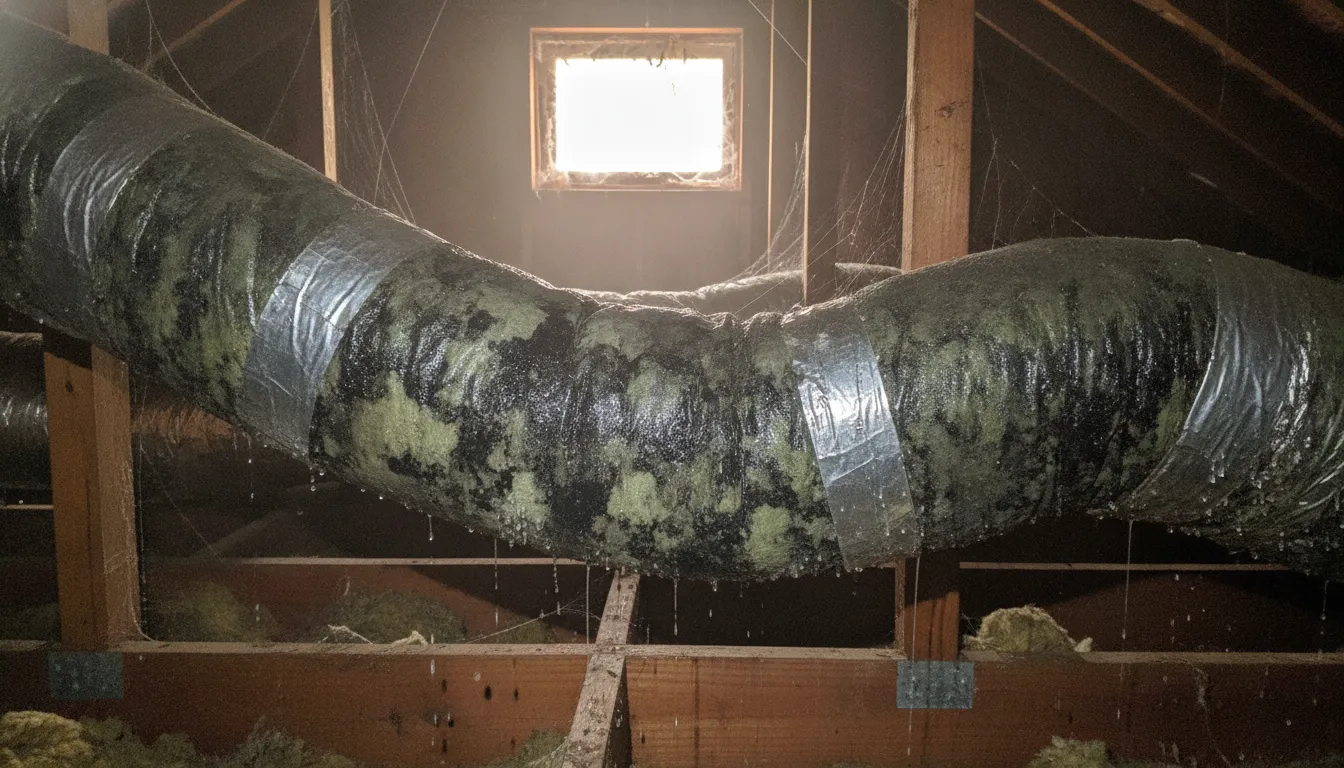
In Florida's humid climate, a clogged AC drain line is an incredibly common reason for a system shutdown. Your air conditioner removes a lot of moisture from the air, which exits through a condensate drain line. If this line gets clogged with algae or debris, water backs up. To prevent water damage, most systems have a safety device called a float switch that automatically cuts power to the AC unit when it detects backed-up water. This shutdown will cause your thermostat screen to go blank. Regular air conditioning maintenance helps keep this line clear and prevents unexpected shutdowns.
Loose Wiring
Over time, vibrations from your HVAC system or even just people walking by can cause the low-voltage wires connected to your thermostat to become loose. A loose connection can interrupt the flow of power, causing the screen to go blank intermittently or completely. Pests can also sometimes chew on wiring, creating a similar problem. While you can gently tug on the wires at the thermostat base to check for looseness, any work beyond that should be left to a trained technician to avoid damaging the system or causing an electrical short.
Failing Thermostat
Like any electronic device, thermostats don’t last forever. If your thermostat is over 10 years old or has been acting erratically, it may have simply reached the end of its life. Internal components can wear out, leading to a total failure. While it might be tempting to grab a new one from the hardware store, modern thermostats can be complex to wire. A professional can ensure your new thermostat is compatible with your system and installed correctly, which is often part of a new air conditioning installation.
Smart Thermostat Glitches
Smart thermostats offer great features, but they also introduce the possibility of software-related problems. A software bug, a failed update, or a Wi-Fi connectivity issue can sometimes cause the device to freeze or go blank. The first step is to try a simple reboot. Many smart thermostats can be reset by either using a reset button or by turning off power at the circuit breaker for a minute and then turning it back on. If the problem persists, check the manufacturer’s website for support or software updates.
How to Fix Your Blank Thermostat Screen
Walking into a warm house and seeing a blank thermostat screen is frustrating, but don't panic just yet. The fix is often surprisingly simple and something you can handle yourself before calling for backup. These seven steps will help you troubleshoot the issue, starting with the easiest solutions first. Grab a flashlight and let’s get your AC running again.
Step 1: Replace the Batteries
Let's start with the simplest fix. Many digital thermostats use batteries for power, and even hardwired models often have them for backup. If the batteries are dead, your screen will be blank. To check, you can usually pull the thermostat's faceplate gently off its wall mount. You should see AA or AAA batteries inside. Swap them out for a fresh set, pop the cover back on, and see if the display comes back to life. This quick step solves the problem more often than you’d think.
Step 2: Check the Circuit Breaker
If new batteries don't do the trick, your next stop is the main electrical panel. The thermostat gets its power from your home’s HVAC system, which is connected to a circuit breaker. Find the breaker labeled for your system (it might say AC, HVAC, Furnace, or Air Handler). Even if it doesn't look tripped, flip it completely off, wait about 30 seconds, and then flip it back on. This resets the circuit and can restore power to your thermostat and air conditioner.
Step 3: Secure the HVAC Panel
Here’s a fix that many homeowners overlook. Your indoor HVAC unit (the air handler or furnace) has an access panel or door that must be securely closed for the system to operate. This is a safety feature that cuts power when the door is ajar, preventing accidents during maintenance. Go to your indoor unit and check that the panel is firmly in place and latched. Sometimes, vibrations can knock it loose, cutting power to your entire system, including the thermostat.
Step 4: Inspect the Fuse
If the breaker is fine, the issue might be a small fuse located on the HVAC control board inside your indoor unit. This fuse protects the system from electrical surges. If it blows, it will cut power to the thermostat. After turning off the power at the circuit breaker, you can open the access panel and look for a car-style fuse (usually 3-amp or 5-amp) on the control board. If the metal strip inside is broken, the fuse is blown and needs to be replaced.
Step 5: Clear the AC Drain Line
In Florida, a clogged AC drain line is a very common culprit. Your system removes humidity from the air, and that water exits through a condensate drain line. If this line gets clogged with algae or debris, water backs up into a drain pan. A safety device called a float switch will then trip, shutting down your entire system to prevent water damage. Clearing the drain line can solve the problem, but a clog is often a sign that it's time for professional air conditioning maintenance to prevent future issues.
Step 6: Check the Wiring
Sometimes, the problem is a simple loose wire. Gently remove your thermostat's faceplate again and look at the low-voltage wires connected to the terminals. Do any of them look loose or disconnected? You can give them a gentle tug to make sure they are secure. On rare occasions, pests can chew through wiring in the walls. If you suspect a wiring issue and aren't comfortable checking it yourself, it’s best to call for professional air conditioning repair to handle it safely.
Step 7: Reboot Your Smart Thermostat
If you have a smart thermostat like a Nest or Ecobee, sometimes the solution is the same as with any other computer: turn it off and on again. Software glitches can cause the screen to go blank or become unresponsive. The reset procedure varies by model, but it often involves pressing and holding a button on the unit or using the manufacturer's app. Check your user manual for specific instructions on how to safely reboot your device, which can often resolve temporary software issues and restore its function.
When to Call a Professional
Trying a few DIY fixes is a great first step, and often, a simple battery change is all it takes. But sometimes, a blank thermostat screen points to a deeper issue within your HVAC system. If you’ve worked through the basic troubleshooting steps and are still staring at a blank screen, it’s time to put down the tools. For your safety and to avoid causing a more expensive problem, certain situations require a professional touch. When you’re out of your depth, calling for an air conditioning repair is the smartest and safest move you can make.
Signs You Need an Expert
It can be tough to know when to throw in the towel. Here are a few clear signs that the problem is bigger than a DIY project. Call an expert if your screen stays blank after you’ve checked the batteries and the circuit breaker. If the breaker trips repeatedly right after you reset it, this signals a more serious electrical fault. You should also immediately call for help if you notice any wires that look frayed, burned, or damaged, as this could require emergency air conditioning services. Messing with compromised wiring is a major safety risk. Finally, if you suspect a blown fuse on the HVAC unit’s control board, it’s best to have a pro handle it.
Why to Leave Electrical Work to the Pros
We can’t stress this enough: be extremely careful when dealing with your home’s electricity. A blank thermostat might seem like a small issue, but if it’s connected to your home’s wiring, it can be complex and dangerous to fix on your own. Professional technicians have the training, experience, and specialized tools to safely diagnose and repair electrical problems. They know how to handle live wires and identify hidden issues that could pose a fire hazard. Our team of fully licensed and insured technicians is here to handle these risks for you. It’s always better to let an expert take over than to attempt a repair that could put you or your home in danger.
What to Expect During a Service Call
If you’ve tried the basics and are still stuck, making the call for help is the right choice. When a 5 Star Air technician arrives, they’ll start by listening to you and then perform a thorough diagnosis to find the root cause of the problem. This includes checking the thermostat wiring, inspecting the HVAC control board, and ensuring all electrical connections are safe and secure. We pride ourselves on honest, transparent service, so we’ll explain exactly what’s wrong and what it will take to fix it, without any sales pressure. Ready to get your system back up and running? You can contact us anytime to schedule a visit from one of our friendly experts.
How to Prevent a Blank Thermostat Screen
Dealing with a blank thermostat is a hassle, especially when the Florida heat is beating down. The good news is that you can often prevent this problem before it starts. A few simple, proactive habits can keep your HVAC system running smoothly and your thermostat screen lit, saving you from the stress of a sudden AC failure. Think of it as a little TLC for your home’s most important appliance.
Replace Batteries Annually
If your thermostat uses batteries, don't wait for the low-battery warning to flash. By then, the power might be too low to operate your system correctly. A better approach is to replace the batteries once a year as a preventative measure. A great way to remember is to tie it to another annual event, like changing your smoke detector batteries or the start of daylight saving time. This simple, two-minute task is one of the easiest ways to avoid an unnecessary service call and ensure your thermostat has the power it needs to function all year long.
Change Your Air Filter on Schedule
A dirty air filter is a common culprit behind many HVAC issues. When the filter gets clogged with dust and debris, it restricts airflow, forcing your system to work much harder to cool your home. This strain can cause the system to overheat and trigger a safety switch that shuts everything down, including your thermostat. To prevent this, check your air filter monthly and change it when it looks dirty. A clean filter not only helps prevent a blank screen but also improves your indoor air quality and keeps your energy bills lower.
Check Your Thermostat's Placement
Where your thermostat is located matters more than you might think. If it’s installed in direct sunlight, near a hot oven, or right above a heat-generating TV, it will sense a warmer temperature and run your AC longer than necessary. This can put extra wear and tear on your system. Similarly, placing it near a drafty window can cause false readings. The ideal spot is on an interior wall, away from direct heat sources and drafts. During a new air conditioning installation, a professional will help you find the perfect location for accurate readings and efficient operation.
Use a Surge Protector
Here in Florida, thunderstorms and power surges are a fact of life. A sudden surge can fry the sensitive electronics inside your thermostat and other parts of your HVAC system, leaving you with a blank screen and a costly repair. While small plug-in surge protectors are great for TVs and computers, your HVAC system needs more robust protection. A whole-home surge protector is installed at your electrical panel and defends all your appliances from voltage spikes. It’s a smart investment to safeguard your system, especially before storm season hits, and can help you avoid a call for emergency air conditioning services.
Schedule Annual HVAC Maintenance
One of the most effective ways to prevent a blank thermostat screen is to schedule professional maintenance every year. During a tune-up, a technician does much more than just a quick inspection. They clean critical components, check electrical connections, test safety switches, and look for worn-out parts that could cause a future breakdown. Catching a loose wire or a failing capacitor early can save you from a sudden system failure. Regular air conditioning maintenance ensures your system runs safely and efficiently, giving you peace of mind that it’s ready to handle the summer heat.
Consider a Thermostat Upgrade
If your thermostat is more than a decade old, it might be time for an upgrade. Older models, especially mechanical or early digital ones, are more likely to fail. They also lack the energy-saving features and convenience of modern smart thermostats. Upgrading to a new thermostat can improve your home’s comfort, reduce your energy consumption, and provide you with remote access through your phone. Because thermostat wiring can be complex, it’s always a good idea to have a professional handle the installation to ensure it’s connected correctly and configured to work perfectly with your specific HVAC system.
Related Articles
- HVAC Tips & Insights Blog - Expert Advice from 5 Star Air
- 5 Signs Your AC Needs Repair
- HVAC Services in Southwest Florida - AC Repair, Installation & Maintenance | 5 Star Air
Frequently Asked Questions
I changed the batteries, but my thermostat is still blank. What should I do now? If fresh batteries didn't solve the problem, the next step is to check your home's circuit breaker. Find the breaker connected to your HVAC system and try resetting it. If the screen is still blank after that, the issue is likely deeper within the system. It could be a tripped safety switch from a clogged drain line or a wiring issue, which means it's the right time to call a professional for a safe and accurate diagnosis.
Why would a clogged pipe in my AC unit make my thermostat go dark? It sounds strange, but it's a very common and important safety feature. Your air conditioner pulls a lot of moisture from the air, which flows out through a condensate drain line. If that line gets clogged, water backs up. To prevent a messy and damaging overflow, a small device called a float switch detects the high water level and cuts power to the entire HVAC system. Since your thermostat gets its power from the system, its screen goes blank.
My circuit breaker keeps tripping when I reset it. Is this a thermostat problem? No, this is a clear sign of a more serious electrical problem within your HVAC system, not just the thermostat. A breaker that trips repeatedly indicates an electrical short or an overloaded circuit that needs immediate attention from a qualified expert. For your safety, you should leave the breaker in the off position and call a licensed technician to find and fix the underlying fault.
How can I prevent my thermostat from going blank in the future? The best prevention is consistent care. Start by replacing your thermostat's batteries once a year, even if they aren't dead yet. Also, be sure to change your air filter regularly, as a clogged filter can strain the system and cause it to shut down. The most effective step, however, is scheduling annual professional maintenance. A technician can clean components like the drain line and check electrical connections to catch small problems before they lead to a system failure.
Is it difficult to replace a thermostat myself? While swapping out a thermostat might seem like a simple DIY project, it can be surprisingly complex. Modern HVAC systems use specific low-voltage wiring, and connecting a wire to the wrong terminal can damage your new thermostat or even your system's main control board, leading to a much more expensive repair. Having a professional handle the installation ensures it's compatible with your system and wired correctly from the start.